Two-person AI dunk play

Make a Middle Finger Dunk AI VideoFrom Two Photos

Add one authorized dunker photo and one authorized defender photo to create an 8-second vertical take on the TikTok 1v1 basketball trend. The play is already selected—upload both people, choose the court and quality, then generate.

By AI DunkLast reviewed
  • Middle Finger Dunk is preselected
  • Upload a dunker and a defender
  • 8-second vertical MP4
  • 480p 50 credits · 720p 100 credits

AI Dunk Video Generator

Put your photos in the AI Dunk frame

Private upload flow

1. Upload the dunker and defender

Front or three-quarter view, one person per photo, clear face, and preferably full body.

Dunker Photo

Defender Photo

For the best result

  • Use one person per photo, facing the camera.
  • Keep the face clear, well lit, and uncovered.
  • Show the full body when possible, or at least head to knees.
  • Avoid mirror selfies and phones covering the body.

2. Choose the court

The selected court controls the generated environment. Auto chooses a setting that fits the action.

3. Choose quality and generate

Review the setup, choose the output quality, and confirm permission.

Photo retention and deletion

Verified paired generation

Two character photos become one dunk video

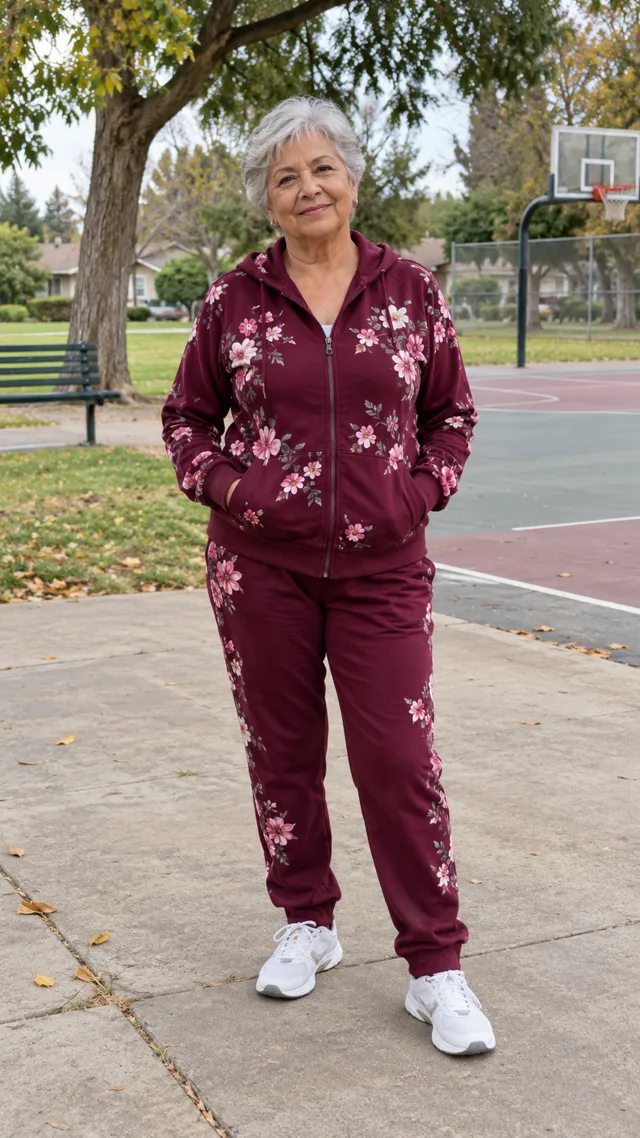
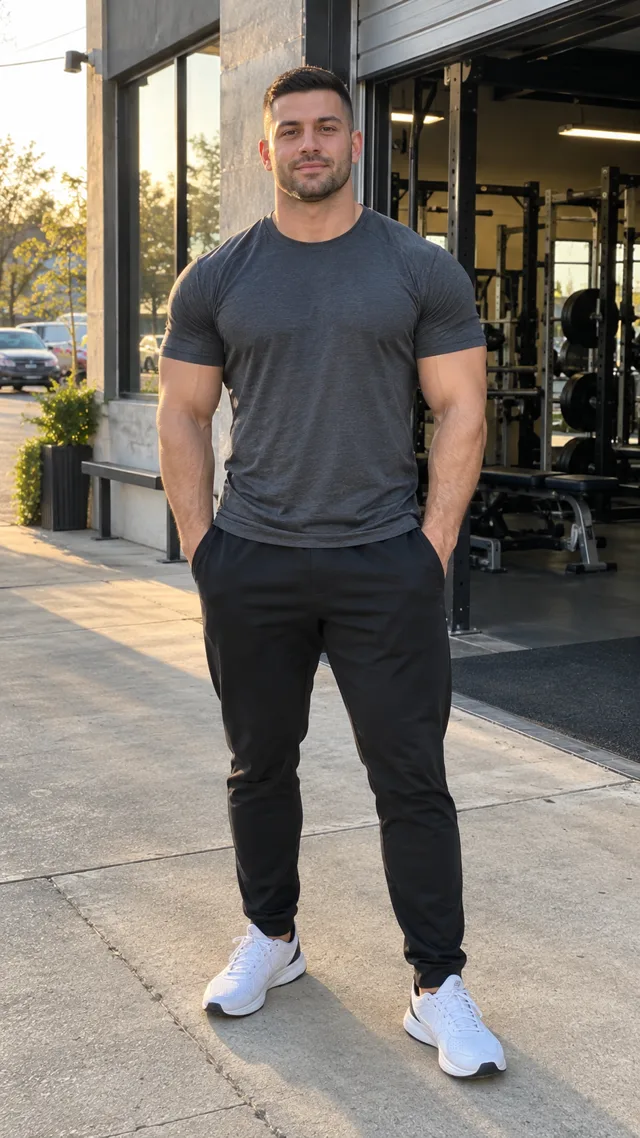
The grandmother and coach are AI-generated fictional sample characters, not photographs of real people. The published video is the accepted AI Dunk generation made from those two source characters—not a staged reenactment or a reference clip.

Input

Two source photos

01 + 02
AI-generated fictional grandmother used as the dunker input
Input 01AI-generated dunker
AI-generated fictional coach used as the defender input
Input 02AI-generated defender

Output

Middle Finger Dunk video

8 SEC
Generated October 26, 2026 with the Outdoor Community Court setting. This is a web-optimized playback copy of the accepted runner output; its eight-second frame sequence and AAC audio are preserved. New generations can still vary in faces, fingers, contact, ball motion and background detail.

Ready to make your version?

Use one clear photo for the dunker and one for the defender. The play, motion and sound are already selected.

Create yours from two photos

Example review

What we observed in this example

Generated October 26, 2026. Frame-by-frame review repeated October 27, 2026 on the exact eight-second MP4 displayed above.

Source task
vid_aiDunk_94f3eeec-b2b9-46d9-83fc-c902338a9323
Review status
Accepted for publication · paired input and output verified
Output file
480×854 · 8 seconds · H.264 video · AAC audio
  1. 0:00–0:02 · Approach. The grandmother advances with the ball while the coach occupies the defender role.
  2. 0:02–0:04 · Contest and takeoff. The coach closes the space as the grandmother gathers and rises.
  3. 0:04–0:06 · Airborne rim attempt. The dunker is airborne, the ball travels toward the hoop, and the defender looks back toward the rim.
  4. 0:06–0:08 · Reaction ending. Both characters return to the court for a brief raised-hand reaction.

How to get a cleaner result

Before sharing, check hand and finger shape, face and identity stability, body contact, ball trajectory, rim outcome and background geometry. In this result, sampled frames keep the two fictional identities distinct and show an outdoor court with no visible text or watermark. That does not guarantee the same details in a new generation.

This timeline applies only to the displayed AI Dunk output. The TikTok links below document where the trend language comes from.

What happens in the video, what you can choose, and what may change

Use one clear photo for each role. Choose the court and quality, then treat fine gesture detail as variable.

You provide
1 dunker and 1 defender photo
Each photo should show one authorized person with a clear face.
Roles
Dunker and defender
The first person drives; the second contests the finish.
What happens
Approach, contest and reaction
No custom written prompt or source-video upload is required.
You choose
Court and 480p or 720p
Auto can choose a fitting court, or you can pick a named option.
Your video
8-second 9:16 MP4
The finished clip is designed to be 8 seconds long.
May vary
Gesture, faces and contact
Hands, fingers, clothing, ball motion and background details can change.

AI Dunk video packs from $6.99.

Choose 1 Standard video or a pack of 2, 3, or 5 HD videos. Standard 480p uses 50 credits; each HD 720p video uses 100. Pay once; no subscription.

View full AI Dunk pricing details

USD prices · One-time packs · No subscription

Standard Video

Try the trend with one full video.

$6.99

1 Standard 480p video

50 credits · one-time

  • Credits never expire
  • Terminal failures return reserved credits
  • Download the completed vertical MP4

By paying, you agree to our Terms. Unused-pack refund policy. Adult payer required.

MOST POPULAR

2 HD Videos

One for you and one for someone else.

$12.99

2 HD 720p or 4 Standard 480p

200 credits · one-time · about $6.50 each

  • Credits never expire
  • Terminal failures return reserved credits
  • Download the completed vertical MP4

By paying, you agree to our Terms. Unused-pack refund policy. Adult payer required.

3 HD Videos

Three separate HD versions to share.

$17.99

3 HD 720p or 6 Standard 480p

300 credits · one-time · about $6.00 each

  • Credits never expire
  • Terminal failures return reserved credits
  • Download the completed vertical MP4

By paying, you agree to our Terms. Unused-pack refund policy. Adult payer required.

BEST VALUE

5 HD Videos

Five HD versions for repeat posts and remixes.

$26.99

5 HD 720p or 10 Standard 480p

500 credits · one-time · about $5.40 each

  • Credits never expire
  • Terminal failures return reserved credits
  • Download the completed vertical MP4

By paying, you agree to our Terms. Unused-pack refund policy. Adult payer required.

Every pack

What to expect

8- or 12-second output · Standard 50 credits · HD 100 credits

Free allowance
No free credits at registration
Prompt
No written prompt required
Generation time
Varies by play and provider load; no fixed completion time
Watermark
No visible watermark in accepted test samples; AI output can vary

How to make the video from two photos

  1. 01

    Choose both people

    Add one clear authorized photo for the dunker and one for the defender.

  2. 02

    Set the court and quality

    Choose Auto or a named court, then select Standard 480p or HD 720p.

  3. 03

    Review before generation

    Confirm photo permission and inspect the full result before you share it.

What is the trend?

What is the Middle Finger Dunk AI video trend?

The Middle Finger Dunk AI video is a two-person 1v1 basketball meme: the dunker drives past a defender, rises toward the rim and finishes with a confrontational reaction. On TikTok, closely related posts also appear as “Bro did an emote mid dunk,” “Mon prime 1v1 basket” or “My Prime 1v1 basketball.” Those names describe the recognizable format, not a guarantee that every generated hand will show one exact finger.

Common search names

One 1v1 format, several labels

  • Middle Finger Dunk AI video
  • My Prime 1v1 or Mon prime 1v1 basket
  • Bro did an emote mid dunk
  • AI dunk with middle finger, basketball middle finger AI or 1v1 basketball AI

What we verified on TikTok

Checked October 27, 2026: a public 11.9-second vertical basketball post from @dihanator4000 is the post independent trend pages identify with the on-video line “Bro did an emote mid dunk.” A separate 16.2-second vertical post from @teuteuf6 is captioned “Mon prime 1v1 basket” and is labeled by its creator as AI-generated. Public sources disagree on the earliest upload and exact finger detail, so we do not present either claim as settled fact.

AI Dunk’s own 8-second version is separate: a quick approach, defender contest, airborne rim attempt and short reaction ending. It does not reproduce either TikTok post frame for frame.

Workflow choice

Preset generator vs manual AI video workflow

Choose by how much setup and editing you want. These are workflow differences, not claims that one tool produces better video quality.

Two-photo preset on this page

Upload both people and choose the output

Add the dunker and defender photos, then choose the court and quality. The motion and sound for this video style are already included, so you do not write a prompt or upload a reference video. This is the most direct setup for this exact sequence, but faces, hands and contact can still vary.

Manual AI video workflow

Write and tune the setup yourself

Start from your media, then write the motion and scene instructions and use whichever model or reference controls the chosen tool supports. This can expose more authoring choices, but setup, duration, sound and reference-video support differ by provider.

CapCut or social template

Follow that template’s media slots

Choose a specific template in the app, replace the media slots it requests, then edit and export there. Template availability, watermark, audio, resolution and usage rights can vary by template, account and region. This page does not benchmark its output quality.

Details and limits

Middle Finger Dunk questions

These answers explain what the video does and what may change between generations. Last reviewed October 27, 2026.

Is this the “My Prime 1v1” or basketball middle finger trend?

Yes. My Prime 1v1, Mon prime 1v1 basket, Bro did an emote mid dunk and basketball middle finger are public names used around the same broad TikTok 1v1 dunk format. AI Dunk creates its own 8-second version instead of copying a source post frame for frame.

How do I make a Middle Finger Dunk AI video from two photos?

Upload one clear authorized photo for the dunker and one for the defender. Choose a court and 480p or 720p quality, confirm that you have permission to use both photos, sign in and generate the video.

Which person becomes the dunker?

The person in the first upload becomes the dunker. The person in the second upload becomes the defender. Use one person per photo and keep both faces clear and unobstructed.

Does the video always show the exact hand gesture?

No. The trend name comes from the taunting gesture viewers associate with the clip, but public descriptions disagree about the exact finger detail and AI-generated hands can vary. Review the hands, faces, body contact and ball motion before sharing.

Can I make a Middle Finger Dunk video on my phone?

Yes. Open this page in your phone browser, upload the two photos, choose the court and quality, then sign in to generate. The upload and selection controls are designed to stack on a mobile screen, so a separate app is not required for this workflow.

Does the output include sound?

Yes. The finished MP4 includes sound matched to this video style. It does not clone the voice of either person in your photos. Listen to the full result before posting, especially if you plan to add another sound in a social app.

Can I download it for TikTok, Reels or Shorts?

Yes. A completed result can be downloaded as an 8-second vertical MP4 from your account and then uploaded to TikTok, Instagram Reels or YouTube Shorts. Review each platform’s current AI-content and music rules before publishing.

Is the Middle Finger Dunk generator free?

No free generation is included at registration. You can view the example and prepare your photos without paying, but generation uses 50 credits at 480p or 100 credits at 720p. Credits come from a one-time pack.

How long does generation take?

There is no guaranteed completion time. Processing varies with the generation stages and provider load. After a task is submitted successfully, you can close the page and return to My Creations to check its status and download the result.

What happens if the face or hands look wrong?

First review the full video because faces, hands and contact can change during fast movement. Minor visual differences are normal AI variation and a new generation uses credits. If a required person is missing or clearly replaced, the core dunk sequence is absent, or the file is materially corrupted, request a quality review within 48 hours; confirmed cases receive the credits used for that task.
Which AI dunk play fits your idea?

If this format is not the right fit, compare the cast size, timing and tone of the other AI Dunk plays.

CompareMiddle Finger DunkDunk on Your FriendOne-Hand Slam Dunk
Best forA short confrontational two-person variationA longer two-person contestA solo highlight
Photos2 required2 required1 required
Length8 seconds12 seconds8 seconds
What may changeGesture details can varyContact and identity can varyBall and hand detail can vary

The same photo and court guidance applies across the three plays. Read the AI dunk video tutorial for preparation steps.

Start with two authorized photos

Choose one clear dunker and one clear defender. Treat the play name as direction, then review the actual hands, faces and contact before sharing.